Apr
04
2007
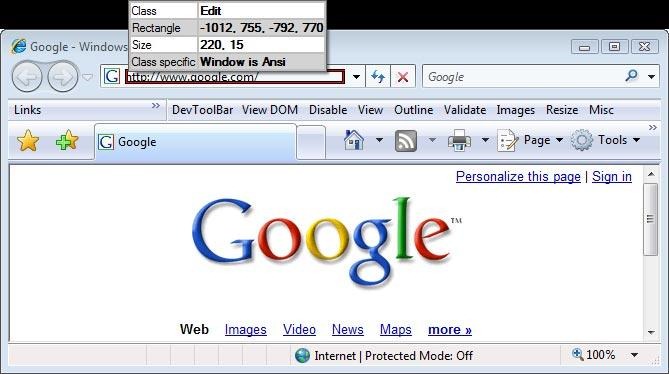
This time we want to retrieve the text from a given window, represented by a handle. Like last time, open an Internet Explorer instance. Now open Winspector and select the address field, ensure that it is the address field itself (class = Edit) and not the ComboBox that you select.
using System;
using System.Collections.Generic;
using System.Text;
using System.Runtime.InteropServices;
using System.Globalization;

namespace Get_text_from_handle
{
	class Program
	{
		// These are two Win32 constants that we'll need, they'll be explained later.
		const int WM_GETTEXT		= 0x000D;
		const int WM_GETTEXTLENGTH = 0x000E;

		// The SendMessage function sends a Win32 message to the specified handle, it takes three
		// ints as parameters, the message to send, and to optional parameters (pass 0 if not required).
		[DllImport("User32.dll")]
		public static extern Int32 SendMessage(int hWnd, int Msg, int wParam, int lParam);

		// An overload of the SendMessage function, this time taking in a StringBuilder as the lParam.
		// Through the series we'll use a lot of different SendMessage overloads as SendMessage is one
		// of the most fundamental Win32 functions.
		[DllImport("User32.dll")]
		public static extern Int32 SendMessage(int hWnd, int Msg, int wParam, StringBuilder lParam);

		static void Main(string[] args)
		{
			// First, read the handle from the console, remember this has to be in HEX format!
			int handle = int.Parse(Console.ReadLine(), NumberStyles.HexNumber);

			// This is a bit tricky. To retrieve the text from a window, we have to know it's length beforehand.
			// This is because we have to send a StringBuilder of the correct length as a parameter. If it's too
			// small, it won't be able to contain the full text. If it's too large, it's inefficient. When using
			// the SendMessage function with the WM_GETTEXTLENGTH message, it returns the length of the
			// window text.
			int txtLength = SendMessage(handle, WM_GETTEXTLENGTH, 0, 0);

			// After having retrieved the length of the string, we create a StringBuilder to hold it.
			StringBuilder sb = new StringBuilder(txtLength + 1);

			// Sending the message WM_GETTEXT to the window, passing int he length of the text (the capacity
			// of the StringBuilder) as well as a reference to the StringBuilder will result in the
			// StringBuilder being filled up with the windows text.
			SendMessage(handle, WM_GETTEXT, sb.Capacity, sb);

			// Finally we'll write out the window text by ToString()'ing the StringBuilder.
			Console.Write(sb.ToString());
			Console.Read();
		}
	}
}
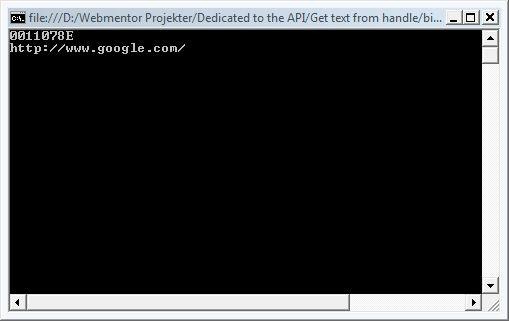
And the result:
Mark S. Rasmussen