I’ve been spamming Twitter the last couple of days with progress on my pet project, OrcaMDF. But what is OrcaMDF really?
Miracle Open World 2011
I was invited to speak at MOW2011 for the SQL Server track. Last year I got good reviews for my presentation on Dissecting PDF Documents, a deep dive into the file format of PDF files. Wanting to stay in the same grove, I decided to take a look at the MDF format as it’s somewhat closer to SQL Server DBA’s than PDF files. Having almost worn my SQL Server 2008 Internals book down from reading, I’ve always been interested in the internals, though I still felt like I was lacking a lot of knowledge.
A parser is born
For my demos at MOW I wanted to at least read the records from a data page, just like the output from DBCC Page. The basic page format is well documented, and it’s not the first time I’ve taken a deeper look at pages. Surprisingly quickly, I had record parsing from data pages functioning using a hardcoded schema. Parsing a single page is fun, but really, I’d like to get all the data from a table. Restricting myself to just consider clustered tables made it simpler as it’d just be a matter of following the linked list of pages from start to end. However, that meant I’d have to parse the header as well. There’s some good information out there on the anatomy of pages, but everything I could find had a distinct lack of information on the actual header structure and field types.
While resorting to #sqlhelp didn’t directly help me, Kimberly Tripp was kind enough to point out that I’d probably not have any luck in finding deeper documentation out there.
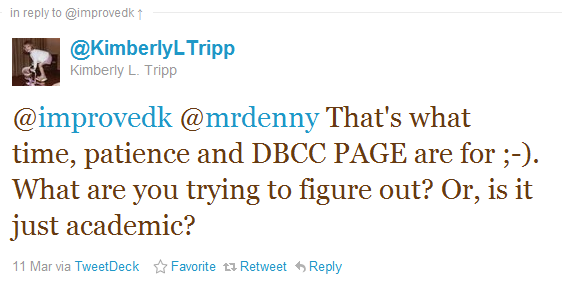
Fast forward a bit of patience, some help from #sqlhelp and @PaulRandal in particular, I managed to reverse engineer the header format, as well as a bit more than I initially set out to do for MOW.
Feature outtakes
With a lot of preconditions (2008 R2 format especially), these are some of the abilities OrcaMDF currently possesses:
- Parsing data, GAM, SGAM, IAM, PFS, TextMix, clustered index and and the boot page (preliminary).
- Scanning linked pages.
- Scanning clustered indexes, either by depth-first into linked-page scan or by forced use of the b-tree structure.
- Scanning heaps using IAM chains.
- Scanning tables (clustered or heaps) using just the table name as input – root IAM/index page is found through metadata lookup.
- Able to parse the following column types: bigint, binary, bit, char, datetime, int, nchar, nvarchar, smallint, tinyint, varbinary & varchar. Adding remaining types is straightforward.
- Parsing of four crucial system tables: sysallocunits, sysschobjs, sysrowsets, sysrowsetcolumns.
- Parsing of key metadata like table names, types and columns.
There’s probably some errors here and there, and I’ve liberally ignored some complexity here and there thus far, so don’t expect this to work on everything yet. I’m continuing development of OrcaMDF. My hope is to have it support 95+% of typically used features, allowing most MDF files to be parsed. If you have a specific use case or scenario you’d like covered, please get in touch and let me know.
Why oh why are you doing this?
I thought I understood most of what I read about internals. I can now tell you, I did not. Actually parsing this stuff has taught me so much more, as well as given me a really good hands-on understanding of the internals. I’ve still never touched SSIS, SSAS, SSRS and all of that other fancy BI stuff, but I believe having a solid understanding of the internals will make the later stuff so much easier to comprehend.
Furthermore, I think there’s a big opportunity for a number of community supported SQL Server tools to arise. Some possibilities that come to mind (just thinking aloud here, don’t take it too concretely):
- Easily distributable read-only access to MDF files to desktops, mobile & embedded clients.
- Disaster recovery – forgot to backup and can’t restore your corrupt DB? You might just be able to extract important bits using OrcaMDF.
- Need to probe the contents of a DB without attaching it to an instance?
- Reading .BAK files – should be possible, will allow single-table restores and object level probing of backup files.
- DBCC CHECKDB of non-attached MDF files – this is probably not going to happen, but theoretically possible.
- Learning opportunities.
By opening up the code to everybody, this should provide some solid teaching and learning opportunities by looking at samples of how to actually parse the contents and not just read & talk about it.
Alright, alright, show me the codez!
All source code is available on GitHub under the GPLv3 license. Feel free to fork, watch or comment. The only thing I ask for is that you respect the license. If you end up trying out the code or actually using it, please let me know – I’d love to hear about it. Want to follow the latest developments – why don’t you come over and say hi?